
You get a TikTok Shop promo code in 2026 through three channels: TikTok's official Coupon Center, individual seller offers on their storefronts, and creator partnerships that hand out exclusive codes during videos and LIVE streams. A tiktok shop promo code 2026 is not one universal code that works for everyone. It is account-, product-, seller-, country-, campaign-, and time-dependent, so where you look decides what you get.
One more thing up front. A code is not required for every discount. TikTok separates platform coupons, seller coupons, creator-affiliate promotions, free-shipping offers, and promo codes. Sometimes the best eligible deal applies automatically at checkout and there is no code to enter at all.
Key takeaways
- Three legitimate sources: TikTok's official Coupon Center, seller storefronts, and creator partnerships.
- No single tiktok shop promo code 2026 works for all US shoppers. Validity is account, product, seller, country, campaign, and time based.
- Third-party coupon directories list codes, but their validity is not confirmed by TikTok's official pages. Treat them as leads, not guarantees.
- The process is identical on mobile and the TikTok Shop Streamer desktop setup. Interface placement differs slightly; checkout math does not.
- Codes fail for predictable reasons: expiration, category exclusions, minimum spend, regional limits, and stray spaces when you copy and paste.
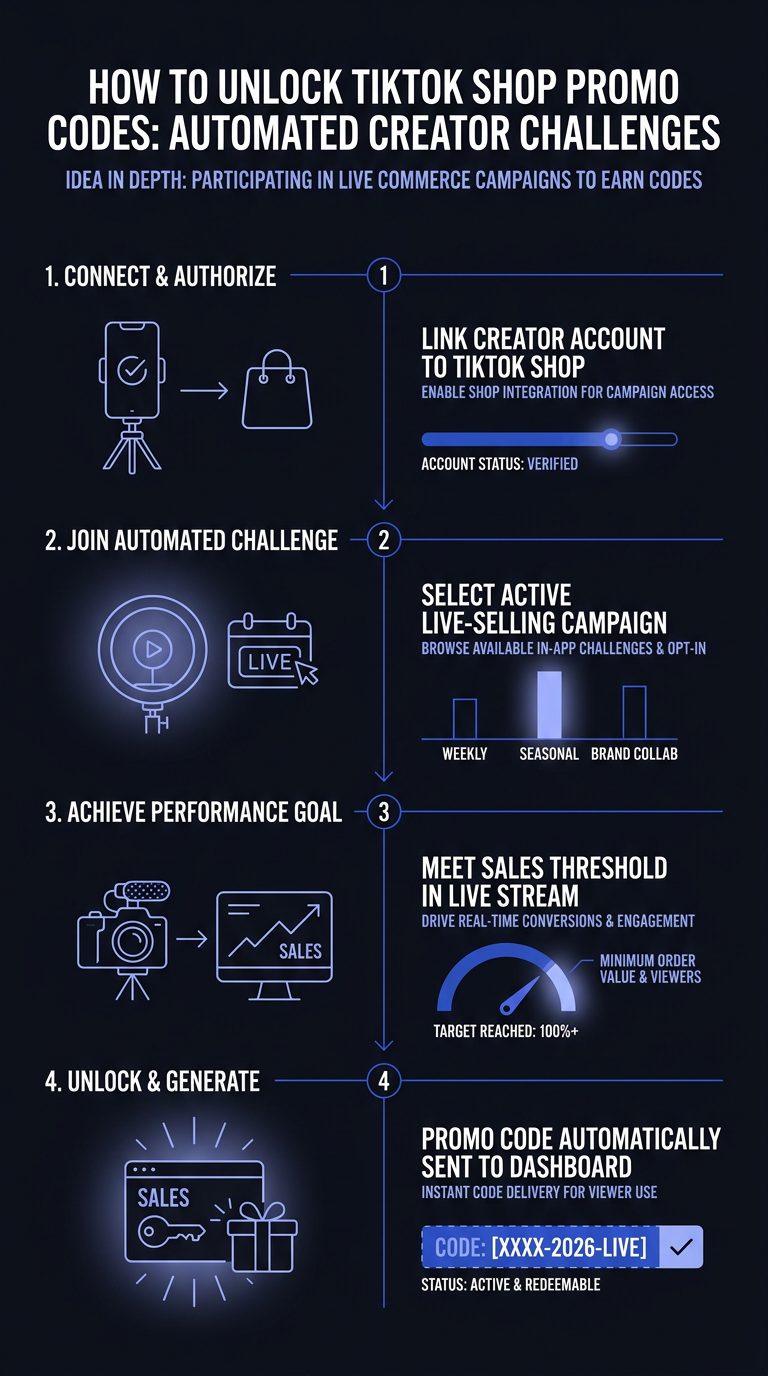
Table of contents
- How to Get a TikTok Shop Promo Code in 2026
- Method 1: Claim TikTok's Official Promotional Codes
- Method 2: Find Seller-Specific Promo Codes
- Method 3: Get Codes from Creator Partnerships
- Can You Get Promo Codes on TikTok Shop's Desktop and Mobile?
- Why Some Promo Codes Don't Work or Are Restricted
- When TikTok Shop Promo Codes Won't Help You Save
- Common Mistakes That Block Your Promo Code
How to Get a TikTok Shop Promo Code in 2026
There are three primary ways buyers find legitimate promo codes for TikTok Shop in 2026. Each covers different ground, so it helps to know what each one does before you start hunting.
| Source | What it covers | Where to look |
|---|---|---|
| Official TikTok promotions | Platform coupons, free-shipping vouchers, limited-time campaign offers across participating sellers | TikTok Shop Coupon Center |
| Seller direct offers | Store-wide or product-specific codes controlled by one store | Seller storefront, product page |
| Creator partnerships | Exclusive codes tied to a creator's video, LIVE session, or affiliate link | Creator profiles and LIVE streams |
Here is the distinction that trips people up. A seller-issued code is controlled by one store and normally applies only to that store's eligible products. A platform coupon is issued or funded at the TikTok level and may apply across participating sellers, subject to campaign terms. A creator offer rides along with a specific creator's product link or LIVE. And a free-shipping voucher cuts shipping, not the merchandise price.
A visible markdown or a flash-sale price is not a promo code. Neither is an automatic cart discount. Keep that straight and you will stop chasing codes that do not exist.
Method 1: Claim TikTok's Official Promotional Codes
Claim official promotional codes through the TikTok Shop Coupon Center, which lists available platform coupons, store offers, free vouchers, free-shipping deals, and limited-time savings in one place. This is the first stop because these are the offers TikTok itself surfaces, not a third-party guess.
Follow these steps:
- Open TikTok and go to the Coupon Center. You reach it through the TikTok Shop section of the app or at the TikTok Shop coupon page. Done looks like a list of claimable coupons with discount amounts and conditions shown.
- Filter by category. Coupons are grouped by eligibility. Match the coupon category to the product category you want so you are not claiming something you cannot use. Done looks like a shortlist of coupons that cover your intended purchase.
- Claim the coupon. Tap to add it to your account. Done looks like a confirmation that the coupon is saved to your account.
- Apply at checkout. Add the product to cart, then inspect the discount section before you pay. TikTok often auto-applies the best eligible offer; some codes need manual entry. Done looks like the discount line showing a reduced total.
One caution. Availability depends on your account, the product, the seller, your country, and the campaign window. A coupon you see today may be gone next week.
Method 2: Find Seller-Specific Promo Codes
Find seller-specific promo codes by going straight to the store that sells the product you want. These codes are controlled by the individual seller, so the seller's own storefront and product pages are where their current offers get announced.
Steps to find them:
- Open the seller's TikTok Shop storefront. Tap the shop name from any product listing. Done looks like the store's full catalog and any pinned offers.
- Check the product page for claimable coupons. Many sellers attach a "claim coupon" banner directly to the listing. Done looks like a coupon you can tap to add before checkout.
- Watch for store-wide versus product-specific offers. A store-wide code applies across that seller's eligible catalog. A product-specific code only touches the listed SKUs. Read the fine print on minimum spend and eligible items.
If you run a brand and you are the seller, publish the terms in full: the exact code, discount type, minimum spend, maximum savings, eligible SKUs, start and end dates, customer eligibility, geographic scope, usage limit, and stacking rules. A clean disclosure looks like: "Use CODE at checkout for 15% off eligible products, minimum order $49, maximum discount $15, valid through [date], one use per customer, US only." That clarity is part of how we structure offers inside our TikTok Shop managed services, where margin, shipping, and returns stay visible before any discount goes live.
Method 3: Get Codes from Creator Partnerships
Get codes from creator partnerships when a seller teams up with a TikTok creator to distribute exclusive offers through videos, LIVE streams, and affiliate links. These codes often are not posted anywhere else, which is the whole point of giving them to a creator's audience.
How it works: sellers hand creators a code or an affiliate link, and the creator shares it during a product video or a LIVE shopping session. Follow the brands and creators whose products you buy, watch their LIVE streams, and check pinned links on their profiles. Codes announced during a LIVE are frequently time-boxed to that session.
This is the exact mechanism we operate at scale. According to Platinum Commerce's 2026 content production records, we produce more than 7,000 creator videos a month. That volume is how verified partnerships and the codes attached to them reach real audiences. Brands can see how we source and manage these relationships on our affiliate and creator management and live selling pages. The algorithm rewards volume, and so does code distribution: more creators, more legitimate codes in front of the right buyers.
Can You Get Promo Codes on TikTok Shop's Desktop and Mobile?
Yes, the process works the same on mobile and on desktop, including the TikTok Shop Streamer desktop setup used for LIVE selling. You claim coupons from the Coupon Center, check seller pages, and apply codes at checkout the same way on either device. The checkout math does not change.
The differences are cosmetic:
| Device | Where codes usually appear | Clearest for |
|---|---|---|
| Mobile app | Inline coupon banners on listings, Coupon Center tab | Claiming creator and LIVE codes in the moment |
| Desktop browser | Cart and checkout discount panel | Reading full coupon terms side by side |
For sellers, desktop matters on the production side. TikTok's official affiliate and seller ecosystem supports selling through LIVE, where creators recommend products and earn commissions on resulting sales. A desktop streamer typically runs TikTok's desktop LIVE software or an approved streaming workflow. According to Platinum Commerce's 2026 studio operations, we stream TikTok LIVE shopping from 12 live rooms in our Beverly Hills studio, and we ranked #1 in TikTok Shop's Multi-Category Seller Live Sprint. Desktop is where that runs.
Why Some Promo Codes Don't Work or Are Restricted
Promo codes fail when the offer's conditions do not match your order. A code is a set of rules, and every rule is a place it can break. These are the restrictions sellers and TikTok enforce most often:
- Regional restrictions. Many codes are US-only or limited to specific countries. A code valid in one market will not redeem in another.
- Category exclusions. A store-wide code may exclude whole categories, like electronics or clearance.
- Minimum purchase thresholds. Retail coupon listings currently advertise examples such as 10% off orders of at least $49 and 15% off orders of at least $49, per RetailCoupons' 2026 TikTok Shop listings. Fall short of the minimum and the code will not apply. These are third-party listings, so treat them as leads, not guaranteed offers.
- Expiration dates. Campaign windows close. A code that worked last week may be dead today.
- Account eligibility. Some codes are new-customer-only or capped at one use per account.
The honest summary: no universally valid TikTok Shop promo code for all US shoppers could be verified from official material. Validity is account-, product-, seller-, country-, campaign-, and time-dependent.
When TikTok Shop Promo Codes Won't Help You Save
Promo codes will not save you money in several common situations, no matter how valid the code is. Knowing these up front saves you the frustration of entering a code that was never going to work.
- Brand new products. Fresh launches are often excluded from discounts while a seller protects early margin.
- Flash sales with fixed pricing. A flash price is already set by the seller. A code usually cannot stack on top, and some directories list capped percentage discounts that quietly exclude sale items, per RetailCoupons' 2026 listings.
- Clearance items. Clearance is typically final and code-ineligible.
- Live-selling events with tiered pricing. LIVE sessions often use their own tiered or time-limited pricing instead of codes. The deal is the LIVE price, not a code you type.
When no code applies, the visible price is the deal. Do not burn time hunting for a code that the offer structure rules out.
Common Mistakes That Block Your Promo Code
Most failed codes come down to five avoidable mistakes at checkout. Fix these and the vast majority of "invalid code" errors disappear.
- Entering an expired code. Codes from coupon directories go stale fast. Check the end date before you count on it.
- Applying an ineligible code to a restricted product. A store-wide code does not always cover every SKU. Confirm the item qualifies.
- Missing the minimum order amount. If the code needs a $49 minimum and your cart is $45, add an eligible item or the code fails.
- Clicking outside the promo code field before confirming. Enter the code, then tap apply or confirm. Navigating away can drop it.
- Copying codes with accidental spaces or characters. A trailing space from a copy-paste breaks the match. Type it manually if the paste keeps failing.
For brands, these buyer-side errors are also a reason to keep code structure simple and terms explicit. If you are deciding how to run promotions on TikTok Shop without guessing at any of this, book a call and we will walk through the model with you.
Who this guide is not for
This guide is for shoppers finding codes and for brand owners deciding how to run promotions on TikTok Shop. It is not a promise that a specific code exists for your next purchase. No universal 2026 code works for every US shopper, so if you came looking for one magic code, that does not exist.
On the brand side, Platinum Commerce is not the fit if you have no finished product yet, or if you want hourly or retainer-only agency work, standalone software, or paid ads management with no TikTok Shop attached. We run two models: we buy your inventory at net PO cost with no fees, or we run your shop end to end for a base plus commission while you keep inventory. According to Platinum Commerce's 2026 onboarding timelines, brands typically go from onboarding to live selling in about 10 weeks. If your product is proven and you want it sold on TikTok Shop, that is us. If not, a self-serve coupon strategy is the better use of your time.
Frequently asked questions
Is there one tiktok shop promo code 2026 that works for everyone?
No. No universally valid TikTok Shop promo code for all US shoppers could be verified from official material. Codes are account-, product-, seller-, country-, campaign-, and time-dependent. The reliable path is checking TikTok's Coupon Center, seller pages, and creator offers for codes that match your specific order.
Are promo codes from coupon websites reliable?
Treat them as leads, not guarantees. Retail coupon directories list examples like 10% off orders of at least $49, but these are third-party listings and their validity is not confirmed by TikTok's official pages. A listed code may be expired, restricted, or unavailable to your account.
Do promo codes work the same on TikTok Shop Streamer desktop and mobile?
Yes. Claiming and applying codes works identically on mobile and the TikTok Shop Streamer desktop setup. Interface placement differs slightly, but the checkout math is the same. Desktop tends to show full coupon terms more clearly; mobile is quicker for grabbing creator and LIVE codes in the moment.
Why does my code say invalid at checkout?
Usually one of five reasons: the code expired, the product is excluded, your cart is under the minimum spend, you navigated away before confirming, or a copy-paste added a stray space. Check each before assuming the code is dead.
How do creators get exclusive TikTok Shop promo codes to share?
Sellers partner with creators and hand them codes or affiliate links to distribute during videos and LIVE streams. Working with creators who already sell the category is how verified partnership codes reach real audiences at scale.